Architecture gets harder to see
As repositories grow and teams change code quickly, architecture intent becomes less visible than feature delivery pressure.
Product
ArchPilot is a local-first architecture governance platform. Validation runs locally in VS Code and the CLI, while ArchPilot Cloud stores only architecture metadata for governance, visibility, and history.
Operating model
VS Code and CLI run deterministic validation in the developer workflow.
Cloud organizes findings, scores, policies, exceptions, ownership, and history.
No source code is synced. Only architecture metadata is stored in ArchPilot Cloud.
The architecture visibility problem
Architecture drift rarely arrives as one dramatic break. It builds gradually when reviews do not scale, team context fragments, and fast delivery outpaces architectural visibility.
As repositories grow and teams change code quickly, architecture intent becomes less visible than feature delivery pressure.
Manual reviews and tribal knowledge cannot keep up with repository sprawl, AI-assisted changes, and continuous delivery.
Teams need architecture visibility, governance signals, and durable measurement instead of one-off conversations about standards.
Local-first architecture validation
ArchPilot keeps validation close to the code so developers can work offline, get deterministic results, and use the same validation flow locally and in CI.
The VS Code extension and CLI validate architecture locally so developers get feedback before they push or open a pull request.
Validation does not depend on a hosted scanning service. Teams can work offline and still get the same deterministic results.
The same local validation flow can run in CI, which keeps architecture enforcement consistent across developer workflows and automated pipelines.
Cloud governance workspace
Local tools validate. ArchPilot Cloud organizes the resulting findings, scores, trends, policies, exceptions, ownership context, and multi-repository visibility.
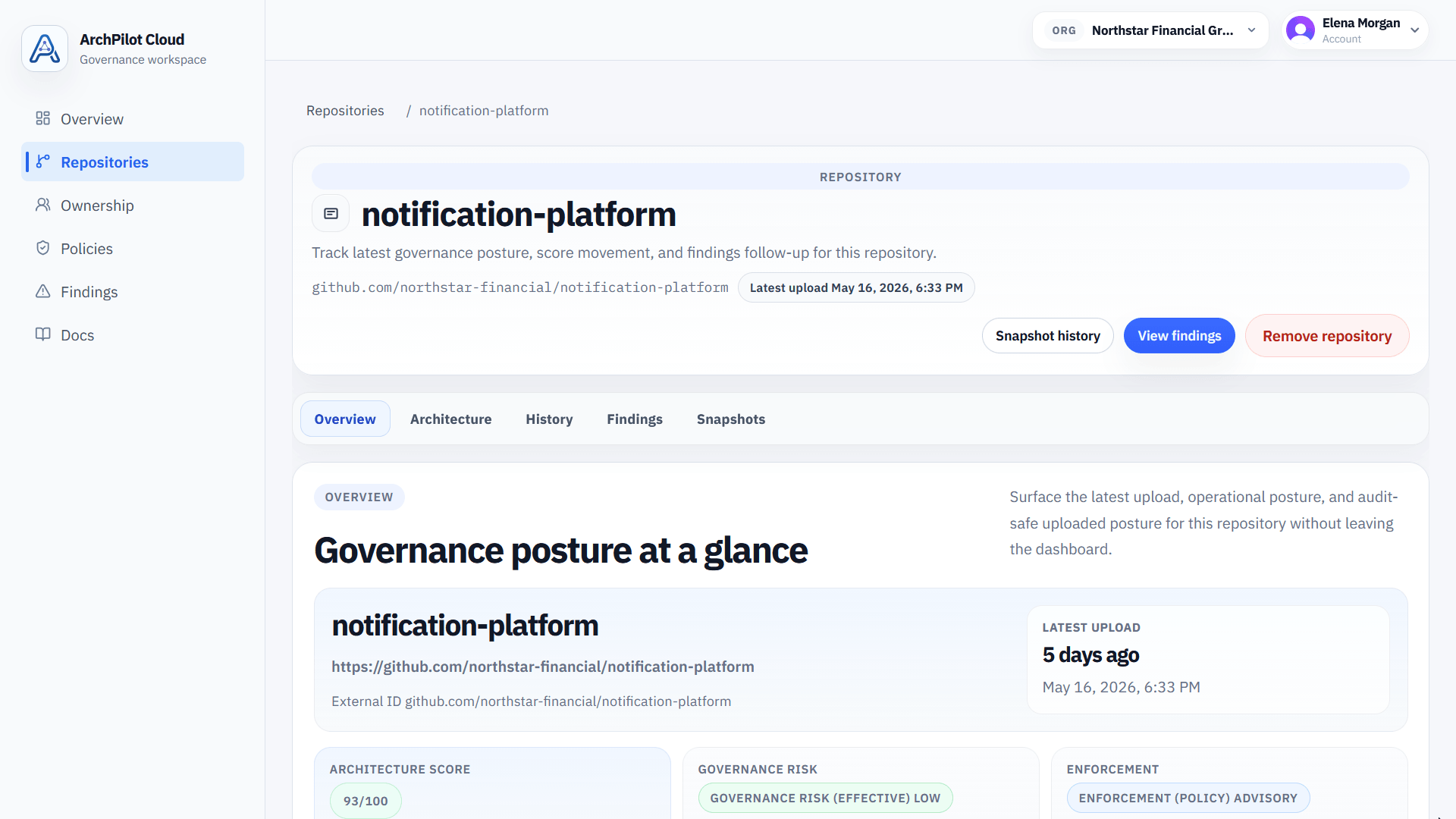
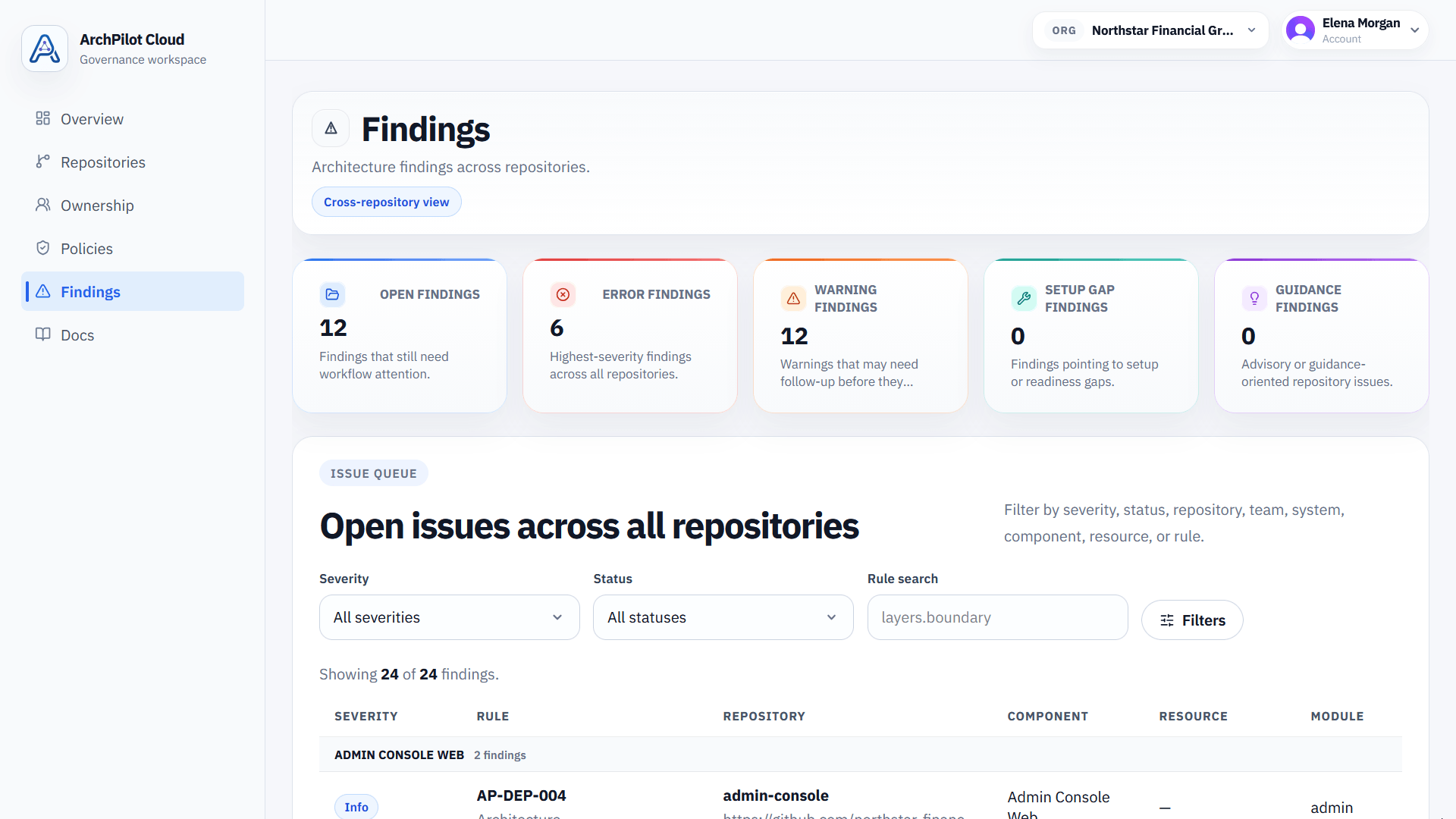
Track governed repositories, synced findings, and architecture posture in a shared workspace instead of relying on local results alone.
Review repository scores and snapshot history over time so architecture changes stay measurable and visible beyond a single run.
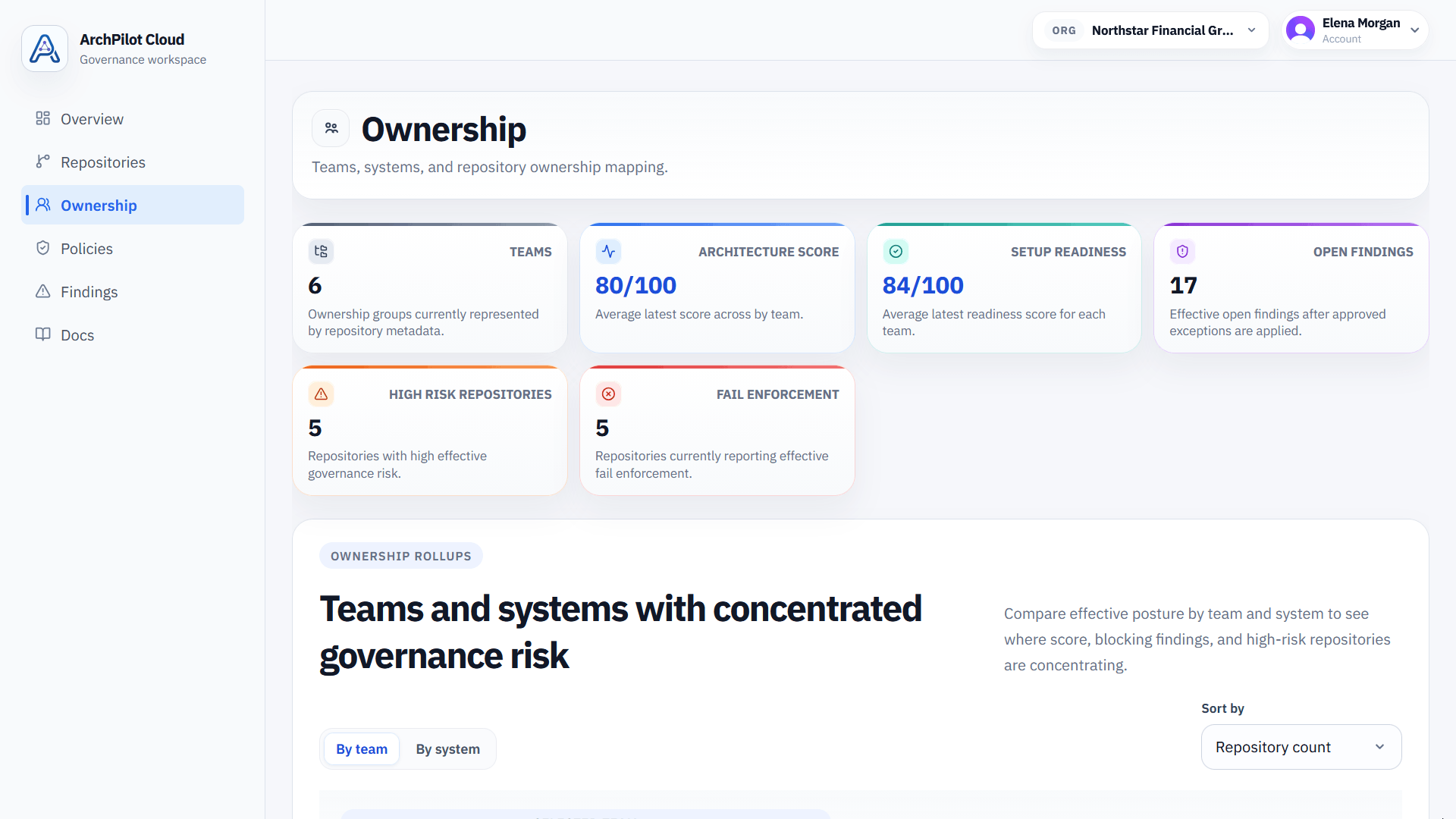
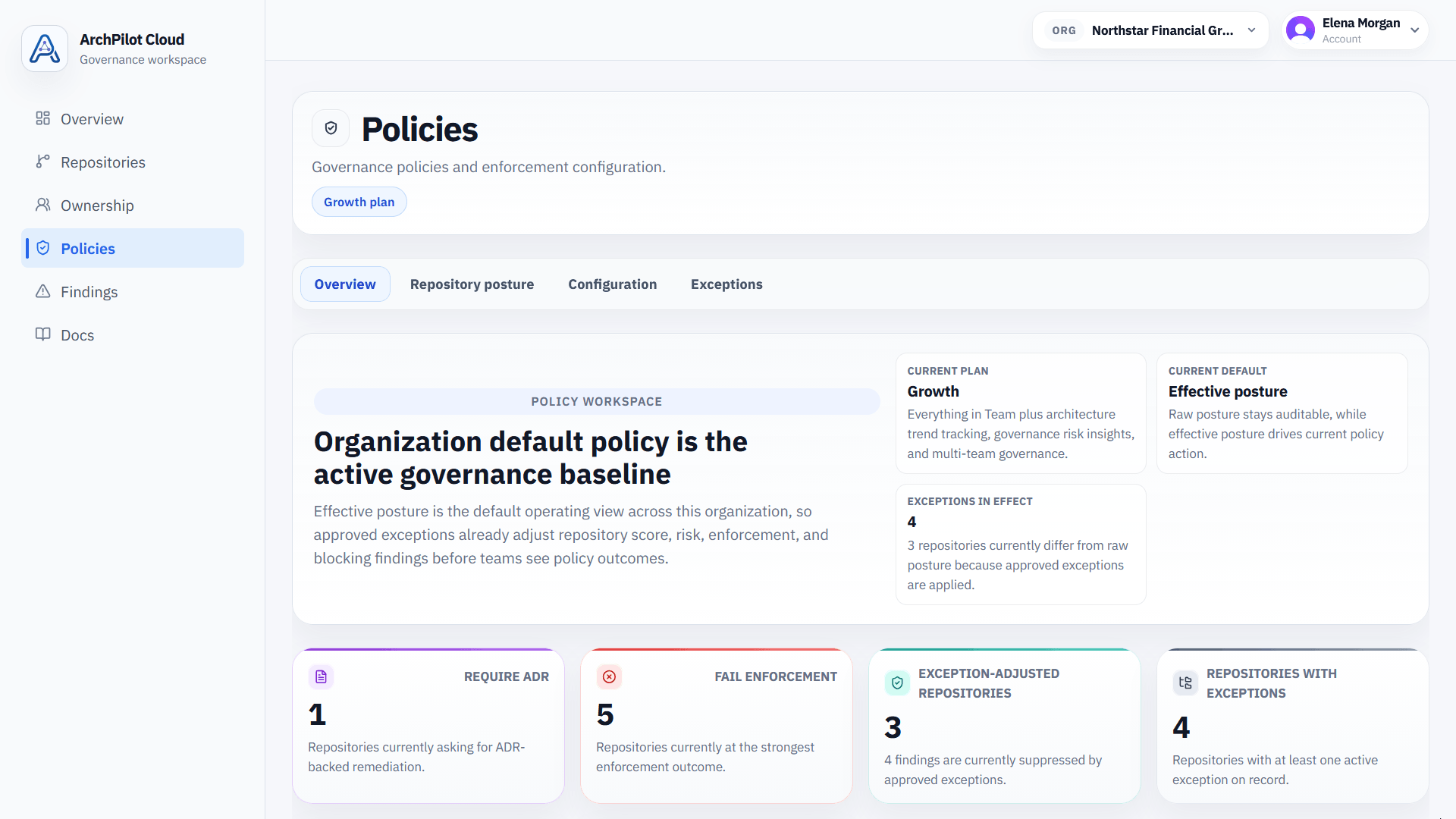
Coordinate architecture governance with policy results, exception workflows, and ownership context across teams and repositories.
Security and privacy
ArchPilot Cloud does not store source code. Only architecture metadata is synced, which makes the product a better fit for security-conscious engineering organizations.
Use the cloud workspace for visibility and governance while maintaining clear source code handling boundaries for security, IP, and compliance.
Architecture metadata examples
AI-assisted development
AI-assisted development increases delivery speed, but it also increases the risk of architecture drift and broken boundaries. ArchPilot helps teams keep governance signals visible even when code is changing quickly.
AI-assisted development and vibe coding help teams move quickly, but they also make it easier for architecture boundaries and rules to erode silently.
ArchPilot keeps architecture checks in the local developer workflow so fast-moving teams see problems before changes spread across the codebase.
Findings, scores, trends, and ownership context remain visible in the cloud workspace even when repositories are changing rapidly.
Key capabilities
These are the current capabilities reflected in the workspace and governance APIs today.
Run architecture checks through local tooling without moving validation into the cloud.
Review synced findings and issue detail in a shared governance workspace.
Track architecture scores and posture as durable governance signals.
Keep snapshot history over time so architectural drift and improvement stay measurable.
Manage policy outcomes and approved exceptions as part of the operational governance record.
Connect repositories to teams and systems and view architecture posture across the organization.
Use a shared cloud workspace to organize architecture metadata across repositories, teams, and time.
How it works
Run validation locally, generate architecture metadata, sync that metadata to the cloud workspace, and govern from a shared history of architecture signals.
Developers use the ArchPilot VS Code extension or CLI to validate architecture directly in their own environment.
The local validation run produces findings, scores, rule outcomes, and repository architecture metadata.
Only the governance metadata is synced to ArchPilot Cloud. The cloud does not need source code to store and organize the results.
Teams use the cloud workspace for visibility, policies, exceptions, ownership, and architecture history across repositories.
Get started
Start with local validation, keep source code in your own environment, and use ArchPilot Cloud as the shared governance layer.