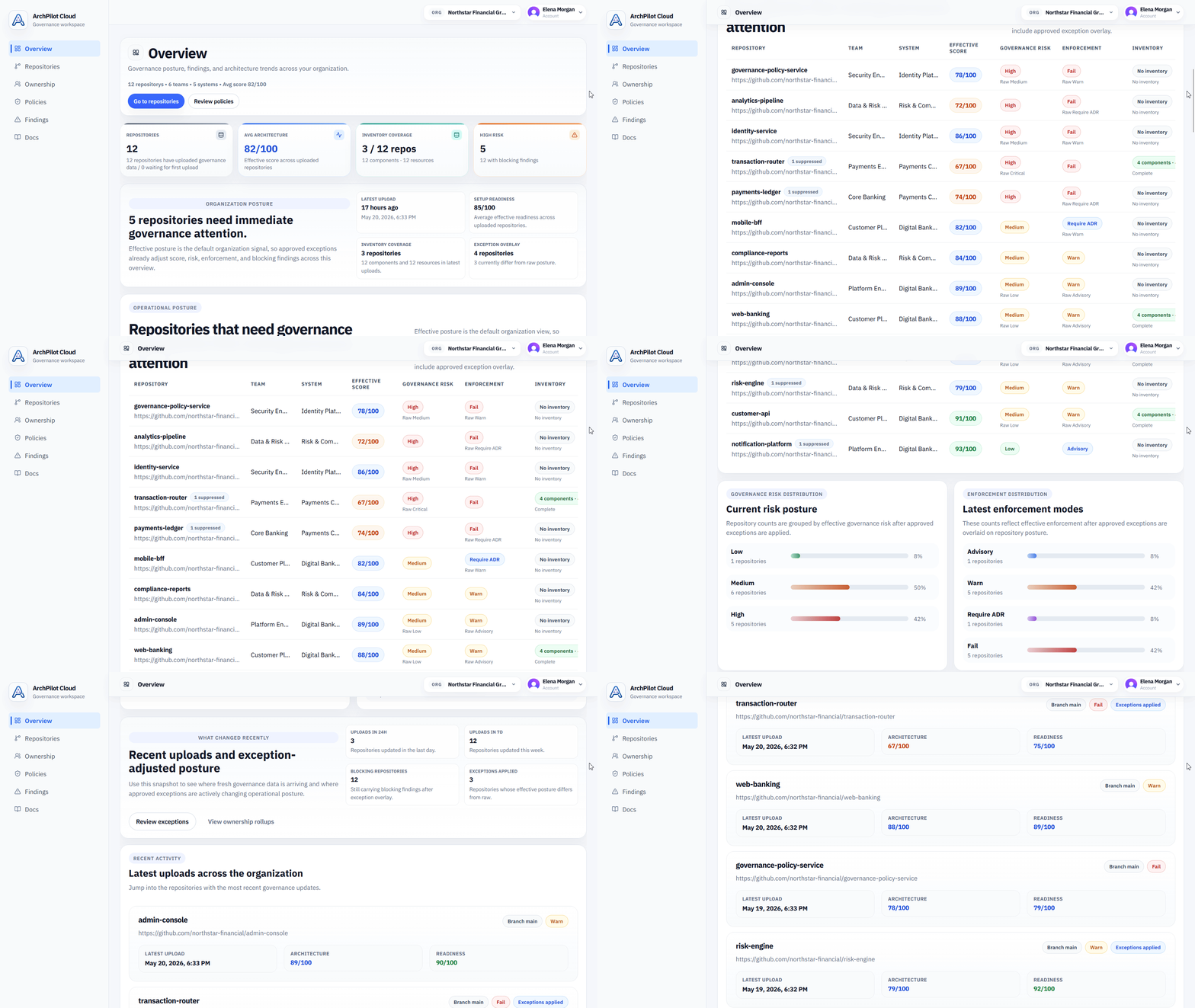
Define architecture-as-code
Capture modules, dependencies, boundaries, contracts, and architecture rules in repository-local configuration.
How it works
ArchPilot separates validation from governance. Validation runs locally in VS Code and the CLI. ArchPilot Cloud stores only architecture metadata so teams can govern architecture across repositories and time.
This gives engineering teams a consistent software architecture workflow from the VS Code extension and CLI through CI and ArchPilot Cloud, with guardrails that keep architecture intact as delivery speeds up.
Five-step flow
See how architecture moves from local checks into continuous team-wide governance.
Overview
The workflow is designed so developers get architecture feedback early, engineering teams can run the same checks in CI, and the cloud becomes the place for governance visibility rather than hosted scanning.
Capture modules, dependencies, boundaries, contracts, and architecture rules in repository-local configuration.
Engineers run deterministic validation before architecture drift reaches review or CI, including drift introduced by faster AI-assisted changes.
GitHub Actions reinforces the same validation workflow for pull requests and main-branch automation.
Validated architecture metadata is uploaded without syncing repository source code.
ArchPilot Cloud connects repositories into shared ownership, posture, policy, and history views.
Architecture-as-code
ArchPilot turns repository structure into reviewable architecture metadata before validation results are promoted into automation or Cloud.
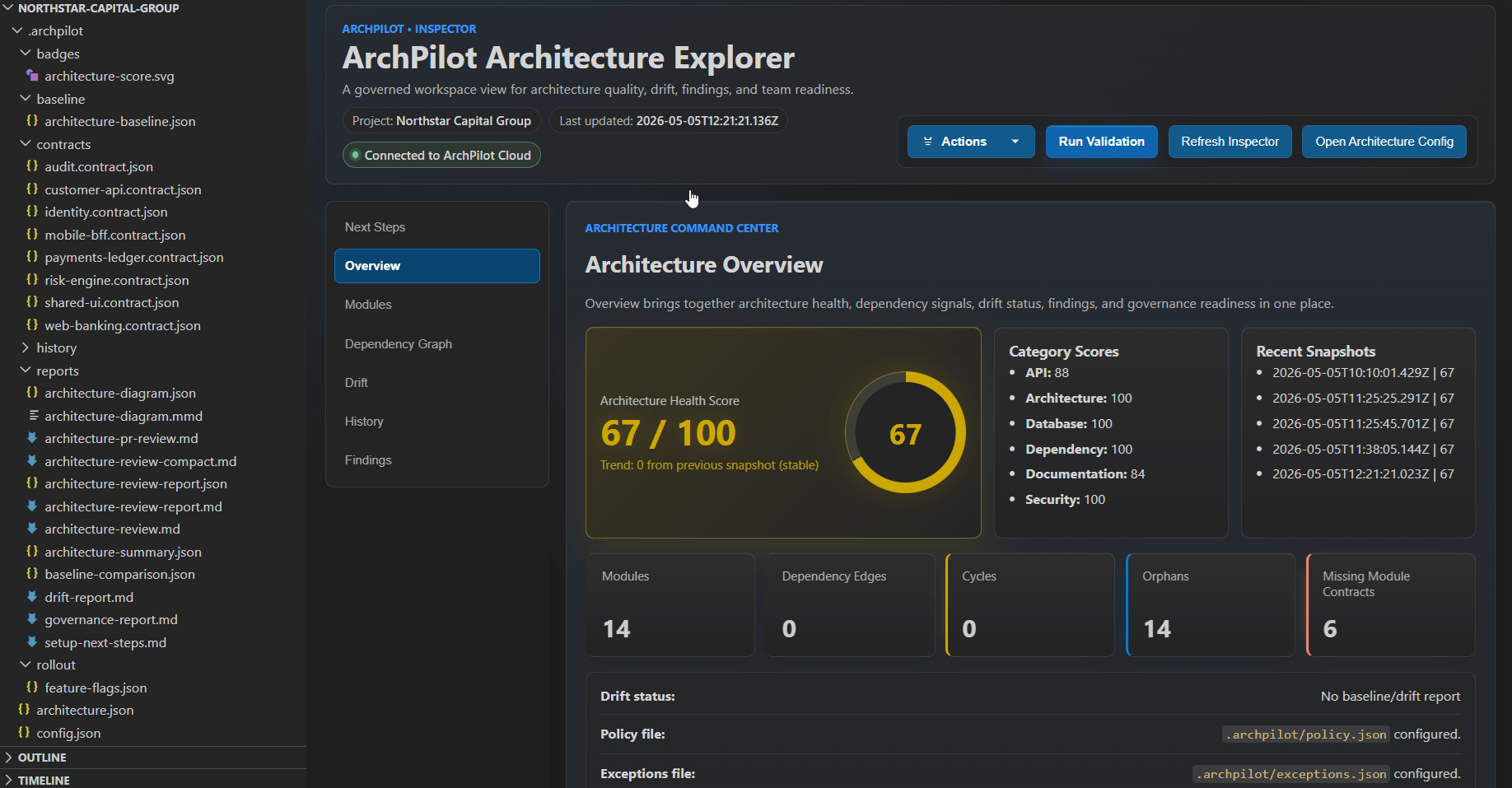
VS Code validation
The VS Code flow gives engineers fast local feedback on architecture metadata, findings, and validation status before changes leave the editor.
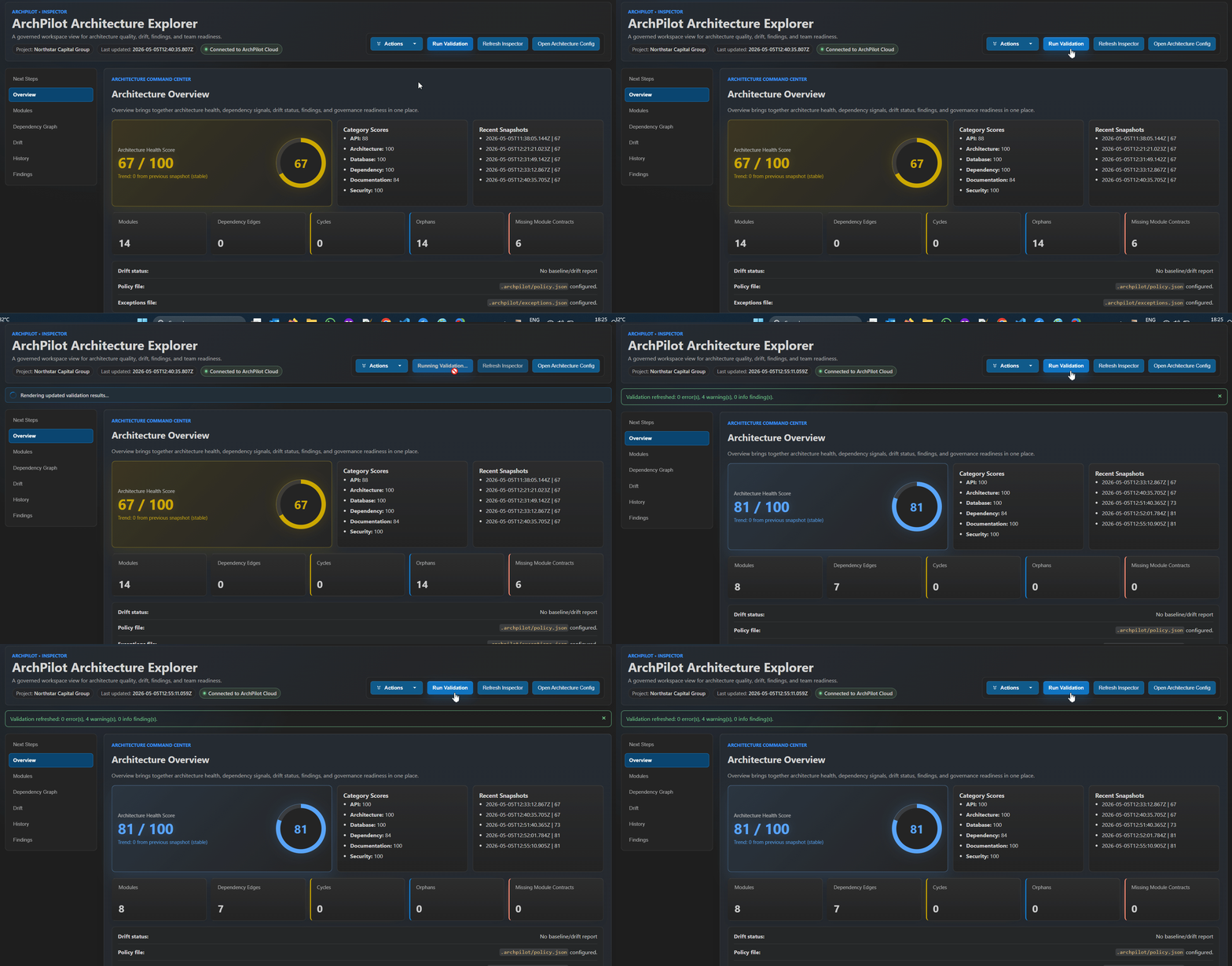
Governance upload
After local or CI validation, teams upload governance snapshots that Cloud can organize without receiving repository source code.
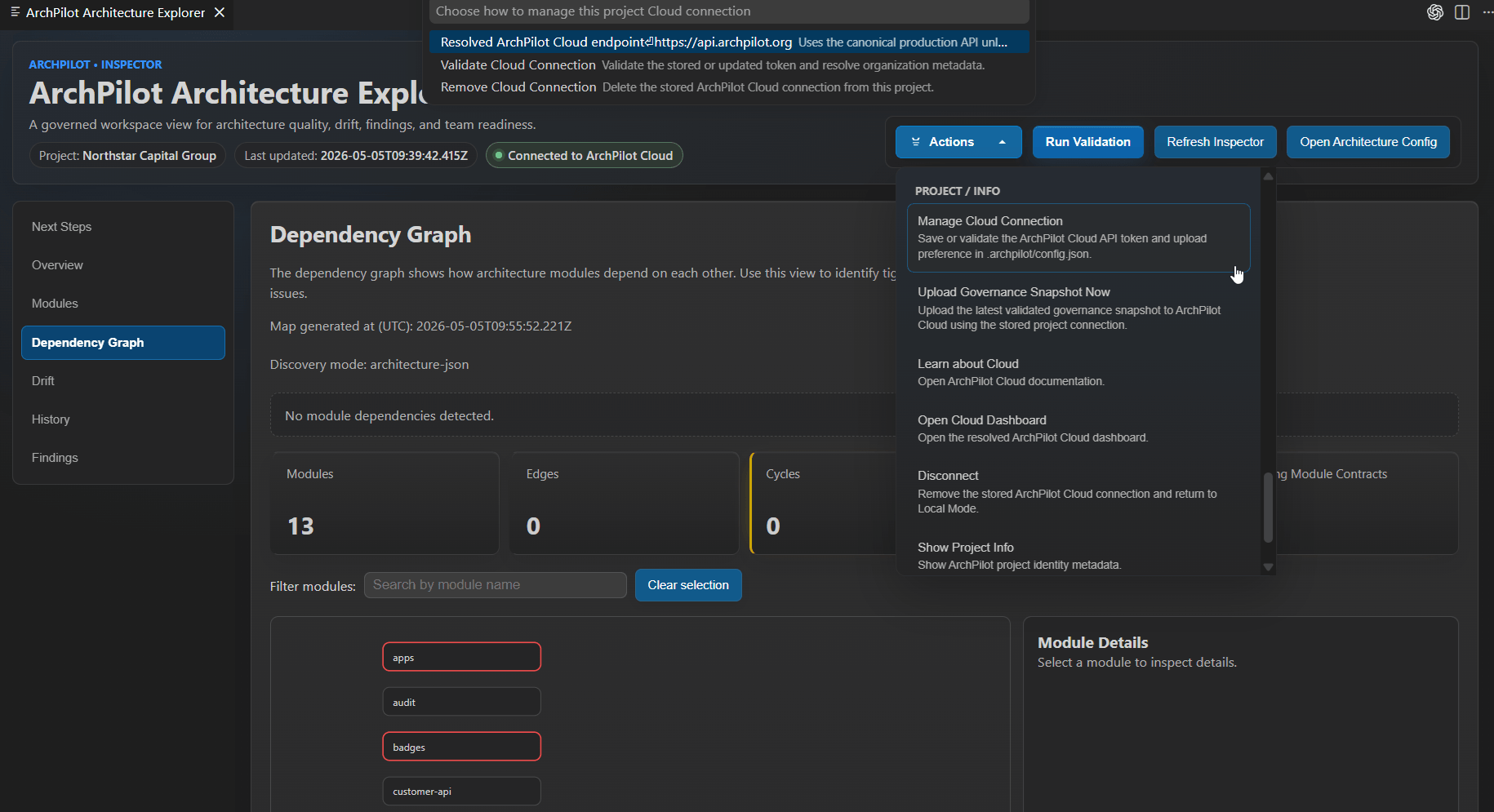
Cloud governance
Cloud turns published snapshots into an operating view for architecture posture, findings, ownership, policies, exceptions, and history across the organization.